## Delta Chat Android Client
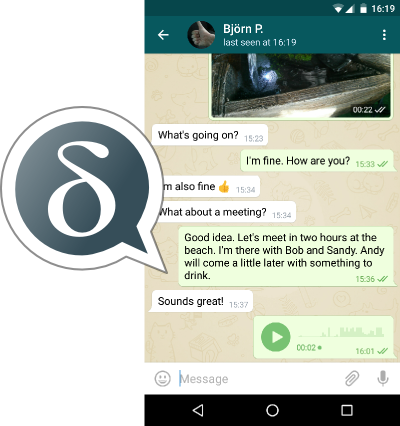
This is the android client for Delta Chat. For the core library and other common
information, please refer to [Delta Chat Core Library](https://github.com/deltachat/deltachat-core).
For ready-to-use binaries, please go to https://delta.chat .
[ ](https://f-droid.org/packages/com.b44t.messenger)
# Build
When checking out _deltachat-android-ii_, make sure also to check out the
subproject _deltachat-core_:
- When using Git, you can can do this initially by
`$ git clone --recursive https://github.com/deltachat/deltachat-android-ii`
or later by `git submodule update --init --recursive`. If you do this in your
home directory, this results in the folder `~/deltachat-android-ii` which is just fine.
- Alternatively, you can download the [deltachat-android zip-file](https://github.com/deltachat/deltachat-android-ii/archive/master.zip); in this case, also download the [deltachat-core zip-file](https://github.com/deltachat/deltachat-core/archive/master.zip) and place its contents to `jni/messenger-backend`
Then, call `ndk-build` in the root directory to build the C-part;
this also builds deltachat-core. Afterwards run the project in Android Studio.
The project requires API 25.
With chance, that's it :) - if not, read on how to setup a proper development
environment.
# Install Development Environment
1. Some libs required by Android Studio may be missing on 64 bit Linux machines
[[Source](https://developer.android.com/studio/install.html)], so for Ubuntu execute
`$ sudo apt-get install libc6:i386 libncurses5:i386 libstdc++6:i386 lib32z1 libbz2-1.0:i386`
and for Fedora execute
`$ sudo yum install zlib.i686 ncurses-libs.i686 bzip2-libs.i686`
2. Download Android Studio from (android-studio-ide-...-linux.zip)
and unpack the archive which contains a single folder called `android-studio`;
move this folder eg. to `~/android-studio`
3. To launch Android Studio for the first time, open a terminal, navigate to
`~/android-studio/bin`, execute `./studio.sh` and use all standard values
from the wizard.
4. Android Studio now ask you if you want to download an existing project;
choose `~/deltachat-android` as created in the "Build" chapter (Android Studio starts to
build the project, however, there are some steps missing before this will
succeed).
5. As Delta Chat uses API 25 for some reasons, click on the corresponding error
message and install "Nougat 7.1.1 (API 25)" and the "Build-Tools" (you should
also find the option at "Tools / Android / SDK Manager / SDK Platforms").
Now the build should succeed - but the app still misses the native part.
6. Download Android NDK Revision 14b from
[NDK Archives](https://developer.android.com/ndk/downloads/older_releases)
(Newer releases shall not be used currently, they are not compatible,
see issues #197, #220, #248) and unzip the archive which contains a single folder
called `android-ndk-r...`; move this folder eg. to `~/android-ndk-r...`
7. Export the folder path to your environment as ANDROID_NDK and add it to PATH.
You can archive this eg. by adding the following lines to `.bashrc`
`export ANDROID_NDK=/home/bpetersen/android-ndk-r...`
`export PATH=$PATH:$ANDROID_NDK`
The last two steps may be omitted by using the new Android Studio NDK options,
however, thus far, we have not found the time to do so.
# Credits
The user interface classes are based on the Signal messenger.
# License
Licensed under the GPLv3, see LICENSE file for details.
Copyright © 2017, 2018 Delta Chat contributors
](https://f-droid.org/packages/com.b44t.messenger)
# Build
When checking out _deltachat-android-ii_, make sure also to check out the
subproject _deltachat-core_:
- When using Git, you can can do this initially by
`$ git clone --recursive https://github.com/deltachat/deltachat-android-ii`
or later by `git submodule update --init --recursive`. If you do this in your
home directory, this results in the folder `~/deltachat-android-ii` which is just fine.
- Alternatively, you can download the [deltachat-android zip-file](https://github.com/deltachat/deltachat-android-ii/archive/master.zip); in this case, also download the [deltachat-core zip-file](https://github.com/deltachat/deltachat-core/archive/master.zip) and place its contents to `jni/messenger-backend`
Then, call `ndk-build` in the root directory to build the C-part;
this also builds deltachat-core. Afterwards run the project in Android Studio.
The project requires API 25.
With chance, that's it :) - if not, read on how to setup a proper development
environment.
# Install Development Environment
1. Some libs required by Android Studio may be missing on 64 bit Linux machines
[[Source](https://developer.android.com/studio/install.html)], so for Ubuntu execute
`$ sudo apt-get install libc6:i386 libncurses5:i386 libstdc++6:i386 lib32z1 libbz2-1.0:i386`
and for Fedora execute
`$ sudo yum install zlib.i686 ncurses-libs.i686 bzip2-libs.i686`
2. Download Android Studio from (android-studio-ide-...-linux.zip)
and unpack the archive which contains a single folder called `android-studio`;
move this folder eg. to `~/android-studio`
3. To launch Android Studio for the first time, open a terminal, navigate to
`~/android-studio/bin`, execute `./studio.sh` and use all standard values
from the wizard.
4. Android Studio now ask you if you want to download an existing project;
choose `~/deltachat-android` as created in the "Build" chapter (Android Studio starts to
build the project, however, there are some steps missing before this will
succeed).
5. As Delta Chat uses API 25 for some reasons, click on the corresponding error
message and install "Nougat 7.1.1 (API 25)" and the "Build-Tools" (you should
also find the option at "Tools / Android / SDK Manager / SDK Platforms").
Now the build should succeed - but the app still misses the native part.
6. Download Android NDK Revision 14b from
[NDK Archives](https://developer.android.com/ndk/downloads/older_releases)
(Newer releases shall not be used currently, they are not compatible,
see issues #197, #220, #248) and unzip the archive which contains a single folder
called `android-ndk-r...`; move this folder eg. to `~/android-ndk-r...`
7. Export the folder path to your environment as ANDROID_NDK and add it to PATH.
You can archive this eg. by adding the following lines to `.bashrc`
`export ANDROID_NDK=/home/bpetersen/android-ndk-r...`
`export PATH=$PATH:$ANDROID_NDK`
The last two steps may be omitted by using the new Android Studio NDK options,
however, thus far, we have not found the time to do so.
# Credits
The user interface classes are based on the Signal messenger.
# License
Licensed under the GPLv3, see LICENSE file for details.
Copyright © 2017, 2018 Delta Chat contributors